TalkWithLead
AI Voice-First Lead Conversion

AI Voice Agents That Turn Website Visitors Into Real Conversations

TalkWithLead is the AI voice-first widget that picks up the phone the moment a visitor lands on your site. Multilingual, extremely human-sounding, with unlimited long-distance calling so prospects anywhere can call you back. More calls. More leads. More closed deals.

Extremely human-sounding voice 50+ languages out of the box Unlimited long-distance calling Instant callback widget

Tag: conversational ai

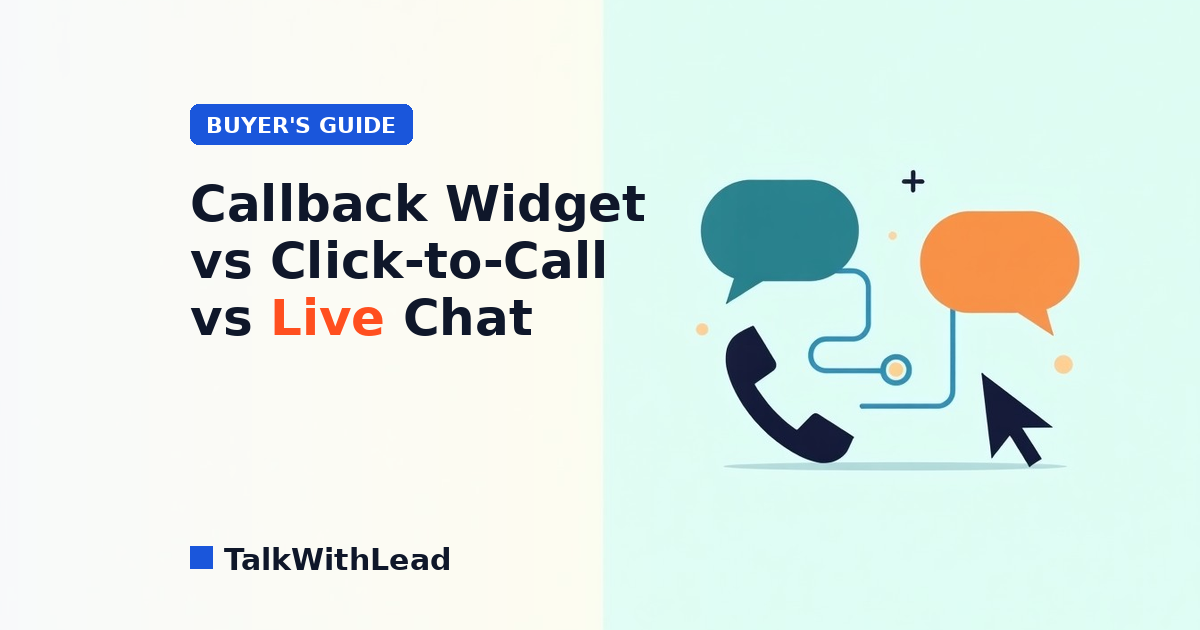
  • Callback Widget vs Click-to-Call vs Live Chat: Which One Converts More Website Visitors?

    Callback Widget vs Click-to-Call vs Live Chat: Which One Converts More Website Visitors?

    If your website gets inbound interest, you have one job: turn that interest into a conversation before the visitor closes the tab. The tools that do that work fall into four camps: click-to-call, callback widget, live chat, and the newer AI voice-first widget. Same goal, very different conversion rates.

    Quick answer: Click-to-call, callback widgets, and live chat all try to convert website visitors, but they win in different situations. Click-to-call is best on mobile when the visitor is ready to dial now; a callback widget is best for capturing warm leads who can’t talk right that second; live chat is best for FAQ deflection and self-serve support. The highest-converting option for the buying moment is an AI voice-first widget, which combines instant calling, 24/7 callbacks, and 50+ languages so no high-intent visitor slips away. The reason speed matters this much: according to Harvard Business Review research, companies that reach a web lead within an hour are nearly 7× more likely to qualify it than those that wait even an hour longer.

    This is a buyer’s guide. No fluff, no unsupported numbers, no fake testimonials. Just where each tool wins, where each tool leaks leads, and how to pick. Talk to TalkWithLead’s AI voice agent yourself if you want to feel the difference before you read on.

    TL;DR — which one converts more, in 60 seconds

    • Click-to-call wins when the visitor is already on mobile and already ready to call. Loses everyone else.
    • Callback widget wins when the visitor will accept a phone call but not initiate one. Loses visitors who want answers now.
    • Live chat wins for self-serve product questions, FAQ deflection, and visitors who prefer typing. Loses high-intent buyers who want to talk.
    • AI voice-first widget (TalkWithLead) removes the “type into a box” or “wait for a callback” friction that stalls the other formats. The AI voice agent picks up immediately, in the visitor’s language, in a voice that actually sounds human. Hear it live.

    The four tools, plain English

    1. Click-to-call

    A button on your site that, when clicked from a mobile device, opens the phone dialer with your number. Cheap, simple. On desktop it does almost nothing — most desktops aren’t set up to make calls. And the visitor still has to do the call: dial, wait through your IVR, leave a voicemail if you’re busy.

    2. Callback widget

    A widget that asks the visitor for a phone number and triggers a callback in seconds. Better than click-to-call on desktop. Better than live chat for high-intent buyers. Still has one assumption: that a human on your team is free to take the call right now.

    3. Live chat

    A chat window that lets the visitor type questions and get typed answers. Excellent for self-service product questions, FAQ deflection, and account lookups. Terrible at high-intent service inquiries because the visitor has to read prompts, type, wait, read, type. Most chat funnels see the same drop-off pattern: the prospect starts typing, then realizes they’d rather just talk to someone, then closes the tab.

    4. AI voice-first widget (TalkWithLead)

    A widget that lets the visitor click once and immediately have a real spoken conversation with an AI voice agent — no form, no typing, no waiting. It sounds human. It handles 50+ languages out of the box. It qualifies the lead, books the next step, and also covers unlimited long-distance, so a prospect anywhere in the world can call you without thinking about the cost. If a human takes over, the AI hands off cleanly. If no human is available, the AI books the callback in a calendar slot the visitor confirms on the spot.

    That last difference is why the AI voice-first widget is the format that keeps high-intent visitors moving: it removes the “next step” friction that loses them in the other formats.
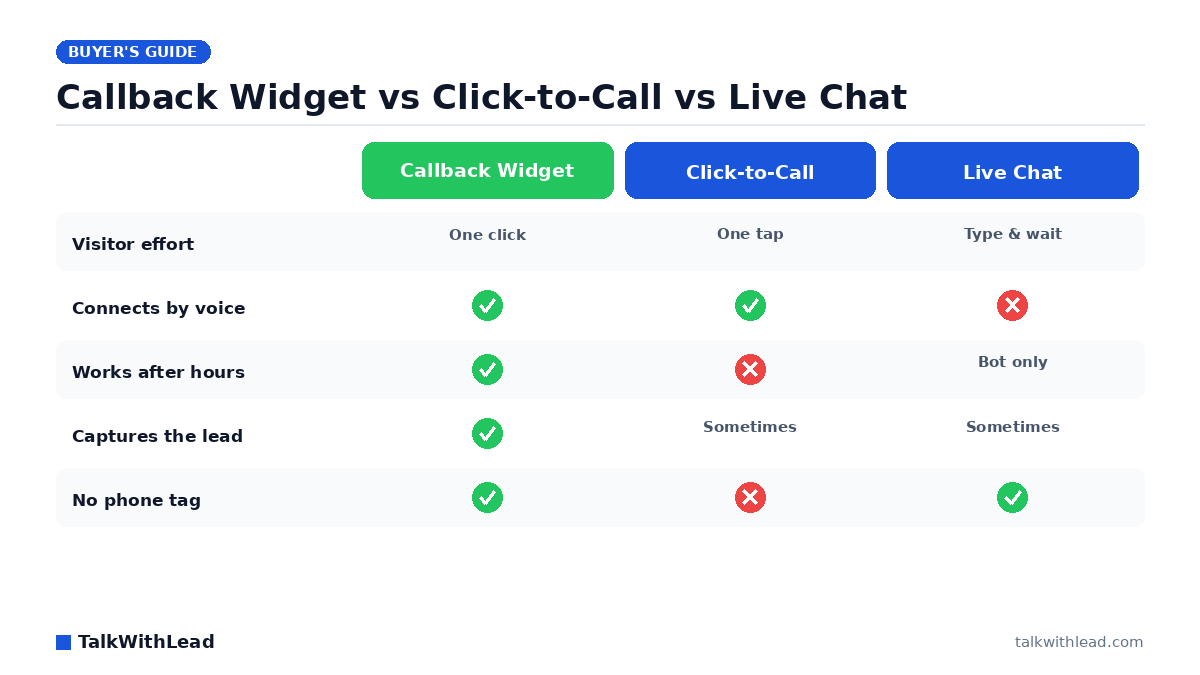
    Callback Widget vs Click-to-Call vs Live Chat — TalkWithLead original infographic (comparison diagram).
    Callback Widget vs Click-to-Call vs Live Chat

    Side-by-side comparison

    DimensionClick-to-callCallback widgetLive chatAI voice-first (TalkWithLead)
    Visitor effortClick + dial + listen to ringClick + type phone numberClick + read + type each turnClick + talk
    Works on desktopPoorYesYesYes
    First response timeDepends on you picking upSeconds to minutesSeconds (bot) or minutes (human)Instant — AI picks up immediately
    Works after hoursNo (your phone is closed)Only if you have on-call coverageOnly if staffed; otherwise a botYes — AI voice agent + scheduled callback
    MultilingualDepends on your teamDepends on your teamTranslation plugins; clunky50+ languages, native
    Long-distance cost to visitorVisitor paysYou pay (small)None (typed)None — unlimited long-distance covered
    Best forMobile + simple call routingVisitors who’ll accept a callbackFAQ deflection + self-serveHigh-intent conversion at the moment of interest
    Hands off to a humanIt IS the humanYes, when a human is freeYes, when a human is freeYes — AI qualifies first, then routes

    Once you see the table side by side, the question stops being “which legacy tool?” and starts being “do I want the upgrade or not?” If you’d like to compare the AI voice-first option against your current setup on your own pricing page, start a free TalkWithLead trial and run it in production.

    Where each one wins

    Click-to-call wins on a mobile checkout

    If your buyer is already on a phone and already decided they want to call, a tap-to-dial button on a “contact” page is the right answer. It’s a finisher, not a converter.

    Callback widget wins for warm leads who are at work

    A prospect researching at their desk who doesn’t want to make a call right now will happily request a callback for “in the next 15 minutes.” It’s faster than a form and friendlier than an inbound IVR. Speed still wins the race, though: Velocify research analyzing 3.5 million leads found that calling a lead within one minute makes them 391% more likely to convert — which is exactly why an instant, automated callback beats a human getting to it 15 minutes later.

    Live chat wins for SaaS support and FAQ deflection

    If your top use case is “does the product integrate with X?” or “where do I find my invoice?”, a chat box is great. A buyer in research mode with a typing-friendly question will take the chat. They’ll close the tab if they’re trying to book a tour or get an emergency tech out.

    AI voice-first widget wins the high-intent conversion moment

    This is the moment that decides quarterly numbers. A visitor on a real-estate listing page at 9 PM Saturday. A homeowner with a leaking water heater on a Sunday. A buyer on your pricing page who clicked “talk to sales” expecting an answer in the next 60 seconds. In every one of those cases, the AI voice-first widget converts more leads because it removes the part where the visitor has to wait or work for the conversation.

    Where each one loses leads

    • Click-to-call loses everyone on desktop, everyone with anxiety about phone IVRs, and every after-hours visitor.
    • Callback widget loses the visitor who wants an answer in the next minute, not in the next 15.
    • Live chat loses the visitor who came to talk, not to type. It also loses non-English speakers stuck with weak translation widgets and international visitors who would have been on the phone with a competitor before your live chat agent typed “Hi there, how can I help?”.
    • AI voice-first widget loses very little — it can still hand off to a human for nuanced sales conversations, and the AI agent answers the simple cases on its own.

    The AI-voice-first upgrade

    If you’ve been running click-to-call, a callback widget, or live chat on your site and you’ve watched the conversion rate plateau, the upgrade you’re looking for isn’t a new chat skin. It’s a different category. TalkWithLead’s widget answers the visitor’s first question in seconds, in their language, in a voice that doesn’t sound like a robot. A human-sounding voice keeps the conversation feeling natural — far less friction than typing into a bot.

    For the cases that need a human, the AI hands off cleanly with all the context already captured. For the cases that don’t, the AI books the next step and you don’t pay anybody to take a 30-second qualifying call.

    By industry — quick fits

    • Real estate: AI voice-first widget on every listing page. The Saturday-tour moment is the entire game. (See our deep dive on speed-to-lead.)
    • Home services: AI voice-first on the homepage and the booking page. Sunday emergency calls go to whichever shop’s widget picks up first.
    • Mortgage: AI voice-first on rate pages. Rate-shoppers compare three lenders in one sitting and close with whoever calls back fastest.
    • SaaS sales pages: live chat for self-serve product questions; AI voice-first on the demo-request and pricing pages.
    • Local businesses: AI voice-first widget — multilingual is a huge win in any city with a real immigrant population, and unlimited long-distance opens you up to traveling customers.
    • Lawyers, dentists, clinics: AI voice-first works here too, with extra care for compliance and recording disclosure. Talk to your own counsel before turning recording on; don’t let any AI conversation drift into giving legal, medical, or financial advice.

    For a primer on why one channel beats the other for serious buyers, see our companion piece AI Voice Agent vs Chatbot: Which One Books More Calls?

    Cost vs revenue (representative example)

    Numbers are illustrative — not a verified customer result. Picture a service business with 300 inbound web/phone leads per month and an 8% close rate at $1,500 average ticket. That’s about 24 closed jobs and $36,000 in revenue.

    Now imagine the AI voice-first widget catches even 25% more of the inbound moments — visitors who would have bounced from a chat box, abandoned a callback queue, or never tried calling from another country because of the toll. A 25% lift on those 24 closed jobs is 6 extra jobs at $1,500, or $9,000 a month — over $100,000 a year. We can’t promise that lift for any specific business and we won’t pretend to. But the framing is honest: an AI voice agent that catches conversations the legacy widgets miss almost always pays for itself before quarter-end.

    Want the cost side before the revenue side? See TalkWithLead pricing. Then run the math.

    How to decide in 10 minutes

    1. What is the highest-value conversion on your site — phone call, demo booked, or chat-resolved support ticket?
    2. Where does most of your inbound interest land — mobile, desktop, or both?
    3. What share of your prospects are international or speak a primary language other than English?
    4. What happens to your inbound inquiries between 5 PM and 9 AM, on weekends, and during peak call volume?
    5. Which feels more like a real conversation to your buyer — typing, leaving a number for a callback, dialing your IVR, or being answered by a voice in seconds?

    If your honest answers say “phone call / both / yes / it leaks / a voice in seconds,” the AI voice-first widget is the move.

    The bottom line: which tool to pick

    Best for: Use click-to-call for mobile “ready to dial” moments, a callback widget to capture warm leads who are busy, and live chat for support and FAQ deflection. For the highest-intent conversion moment — and to cover nights, weekends, languages, and international leads in one tool — an AI voice-first widget is the best fit.

    Not the best fit for: An AI voice-first widget is more than you need for a pure low-traffic FAQ page; plain live chat or click-to-call may suffice there. Most sites can run more than one of these together.

    One line: Click-to-call = mobile dial-now; callback widget = warm-lead capture; live chat = support; AI voice-first = win the high-intent conversion. Start a free TalkWithLead signup to test the voice-first option in your own pipeline.

    FAQ

    Is a callback widget better than live chat?

    For high-intent service buyers, yes — they prefer a phone call to typing. For self-serve product questions, live chat is fine. An AI voice-first widget covers both cases.

    Can I run more than one of these on my site?

    Yes. Many TalkWithLead customers keep a typed chat for product-page questions and use the AI voice-first widget on conversion pages (demo request, pricing, contact, key landing pages). The two are complementary.

    What if my prospect speaks a different language?

    The AI voice agent handles 50+ languages out of the box. It detects the prospect’s preferred language and answers in it — without you needing to staff a multilingual team.

    What about international leads and toll costs?

    TalkWithLead covers unlimited long-distance, so a prospect calling from anywhere in the world doesn’t worry about toll. Removing that “do I want to pay long-distance” moment removes the abandonment that legacy click-to-call setups suffer.

    Does the AI voice sound robotic?

    Modern AI voice is extremely human-sounding. TalkWithLead’s voice was tuned to feel like a person, handle interruptions, and switch languages cleanly. Try the Live Demo and judge for yourself.

    How fast can a callback actually happen?

    With TalkWithLead, typically within seconds of the visitor clicking the widget. If the AI voice option is enabled, the conversation starts immediately — no callback wait at all.

    What’s the simplest place to start?

    Install the AI voice-first widget on your two highest-conversion pages — usually your homepage and your demo/pricing page. Watch what happens to your booked-call rate over the next two weeks. Free signup is here.

    Which converts better, a callback widget or click-to-call?

    It depends on the visitor. Click-to-call wins when someone is on mobile and ready to dial immediately; a callback widget wins for desktop or busy visitors who want you to call them. An AI voice-first widget covers both moments plus after-hours, which is why it tends to capture more total leads.

    Do I have to choose just one of these tools?

    No. Many sites run more than one — for example click-to-call on mobile plus an AI voice-first widget for the high-intent buying moment. The goal is to never leave a ready-to-talk visitor without an instant path to a conversation.

    What happens to leads that come in after business hours?

    With staffed live chat or a manual callback, after-hours leads usually wait until morning — by which point many have contacted a competitor. An AI voice-first widget answers and calls back automatically 24/7, so nights and weekends stop being a dead zone.

    Where can I see TalkWithLead in action?

    The Live Demo page lets you talk to the AI voice agent right now. For a guided walkthrough, the same page books a 15-minute call. Pricing is here if you want the cost first.

    More from the TalkWithLead Resources hub:


    Next step: Stop comparing legacy widgets. Try the AI voice-first one against your current setup in your own pipeline. Talk to the Live AI Voice Demo, start your free signup, or see pricing first.
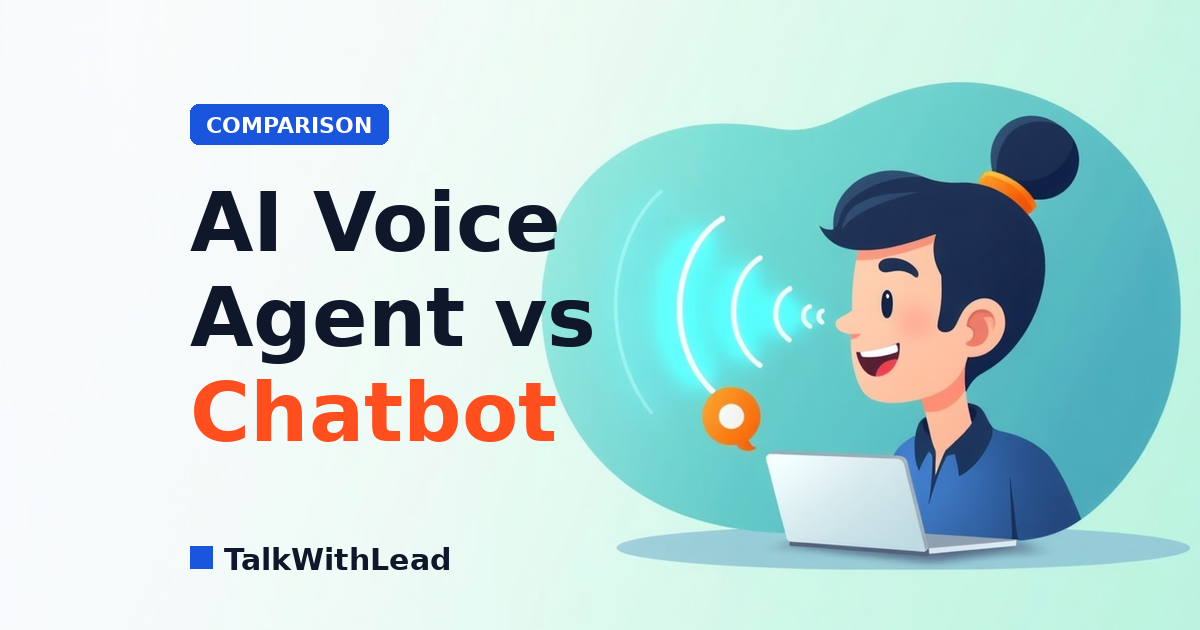
  • AI Voice Agent vs Chatbot: Which One Books More Calls?

    AI Voice Agent vs Chatbot: Which One Books More Calls?

    Chatbots make visitors type. AI voice agents create real conversations. If you run a business where buyers want to talk to someone now — a plumber, a real-estate agent, a mortgage broker, a lawyer, a clinic, a SaaS sales team — that one difference shows up in your pipeline.

    Short answer: An AI voice agent turns a website visitor into a live phone conversation in seconds, while a chatbot makes that visitor type and wait. Chatbots are best for deflecting repetitive FAQs and self-serve support; an AI voice agent is best for converting high-intent visitors into qualified sales calls, because talking is faster and closer to how buying decisions actually happen. For most businesses chasing leads, the highest-converting setup is an AI voice agent for the buying moment, with a chatbot kept for low-stakes support questions. According to a Five9 study of 4,000 US and UK consumers, 75% of people prefer talking to a real human in person or over the phone for customer support — which is exactly the moment a human-sounding AI voice agent is built to win.

    This is a practical comparison: where chatbots still earn their keep, where AI voice agents quietly outperform them, and how to decide for your own site. No fluff and no invented stats — just the trade-offs that actually move the needle on booked calls. See TalkWithLead’s widget in action on talkwithlead.com if you want to feel the difference between typing and talking before you read on.

    AI voice agent vs chatbot in 60 seconds

    The short version, before the detail:

    • Chatbot: a typed conversation in a window on your site. Best for self-service questions, order/account lookups, and FAQ deflection.
    • AI voice agent: a spoken conversation, either by callback or directly through the widget. Best for high-intent inquiries, after-hours qualification, and any industry where the next step is “get on a call.”
    • The deciding factor: how ready is the visitor to take the next step? Browsing visitors will type. Decision-ready buyers want to talk.

    What is an AI voice agent? What is a chatbot?

    AI voice agent — how it works

    An AI voice agent is a system that holds a spoken conversation with a visitor. On a website, it usually lives behind a small widget. The visitor either clicks “talk now” and speaks through the browser, or asks for an instant callback and the AI agent dials them back within seconds.

    Under the hood, the agent transcribes what the visitor says, runs that through a language model to decide how to respond, then converts the response back to speech. Modern voice agents handle interruptions, recognize intent, and can hand off to a human when the conversation crosses a threshold — for example, “I want to schedule a tour this weekend” on a real-estate site, or “I have a burst pipe” on a plumber’s site.

    Chatbot — how it works

    A chatbot is a typed conversation in a chat window. Older chatbots followed a decision-tree (button-based) script. Modern AI chatbots use a language model to interpret typed messages and respond in natural language. Both still rely on the visitor reading and typing.

    Chatbots are excellent at structured tasks: looking up an order number, surfacing a help-center article, or qualifying a visitor with a short form-style flow. They are also genuinely useful when the visitor prefers asynchronous chat — for example, when they are at work and cannot take a call.

    The conversational gap that matters

    A typed chatbot turns every interaction into a series of small commitments. The visitor reads a prompt, decides what to type, types it, waits for a reply, reads the reply, decides what to type next. Every step is a moment the visitor can close the tab. Speaking removes most of those steps. A short phone-style exchange usually replaces three or four chat turns and feels closer to how a normal sales or service call would go.

    That gap matters most when the visitor is already in buying mode. They do not want to be educated. They want a person — or a system that sounds like one — to confirm a price, a slot, or a callback.

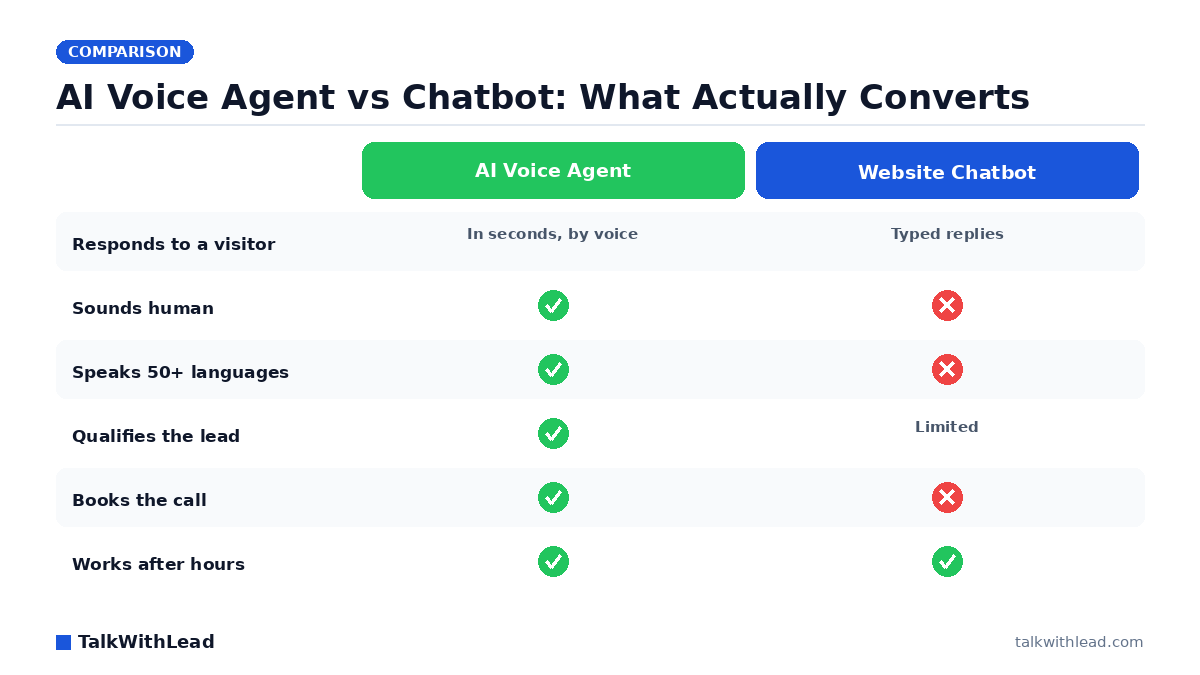
    AI Voice Agent vs Chatbot: What Actually Converts — TalkWithLead original infographic (comparison diagram).
    AI Voice Agent vs Chatbot: What Actually Converts

    Where chatbots actually shine

    It is unfair to call chatbots dead. They are a great default for several specific jobs:

    • Self-service product questions. If your site sells software with documented features, a chatbot can resolve “does it integrate with X?” without anyone picking up the phone.
    • Order tracking and account lookups. A chatbot that authenticates the visitor and surfaces order status is faster than calling support.
    • Documentation and FAQ deflection. Pointing visitors to the right help article is a chatbot’s natural strength.
    • Quiet hours when the visitor prefers chat. Some visitors really do prefer typing — they’re at work, the kids are asleep, they don’t want their voice picked up.
    • Triage to a live agent. Chatbots are good at collecting the basics (“name, email, the gist of the problem”) before a human jumps in.

    If your top KPI is “deflect support tickets” or “let visitors self-serve,” a chatbot is usually the right call. If your top KPI is “book more phone calls and demos,” keep reading.

    Where AI voice agents win

    AI voice agents earn their place when the next step in the funnel is a call. Several scenarios show this pattern clearly:

    • High-intent service inquiries. A homeowner with a leaking water heater on a Sunday is not going to type out their problem in a chat window. They want a voice on the other end. An AI voice agent that picks up immediately, qualifies the job, and books a tech is the difference between winning and losing the work.
    • High-ticket purchases. A buyer evaluating a multi-thousand-dollar service expects a conversation, not a form. Voice agents handle the discovery questions that build trust.
    • Industries where phone is still the dominant channel. Real estate, mortgage, insurance, law, healthcare, and home services lean phone-heavy. Buyers in those verticals interpret “call me” as serious and “chat with us” as casual.
    • After-hours qualification. Most chatbots can take a name and email after hours. Voice agents can actually answer questions, qualify the lead, and book a callback during business hours, all without a human.
    • Recovering missed calls. When a missed call lands on your number, an AI voice agent can call back within seconds, ask the visitor what they need, and book a real follow-up. A chatbot cannot recover a missed phone call at all.

    Side-by-side comparison

    DimensionChatbotAI voice agent
    ChannelTyped text in a chat windowSpoken conversation in-browser or by callback
    Visitor effortRead + type each turnTalk naturally; no typing
    Best forSelf-service, FAQ deflection, account lookupsHigh-intent inquiries, after-hours qualification, callbacks
    Speed to first responseInstantInstant (in-browser) or seconds (callback)
    Speed to qualified leadMinutes to hours (typed back-and-forth)Often under 60 seconds
    Handoff to humanLive chat agentLive phone agent or scheduled callback
    Tone signal to buyerCasualSerious; “we will actually call you”
    RecordsChat transcriptCall recording + transcript
    AccessibilityExcellent for typed-channel preferenceExcellent for visually impaired or mobile-on-the-go users
    Compliance considerationsStandard web/cookie/privacy practicesPlus call-recording disclosure where applicable; check local laws

    Both channels can coexist on the same site. The mistake most teams make is forcing one channel to do both jobs. A chatbot pretending to handle high-intent service calls feels slow. A voice agent answering “what time do you close?” feels like overkill.

    The deciding factor: speed-to-lead

    For most service businesses, the single biggest predictor of whether a lead converts is how fast you respond. Sales operators who have run inbound for years have all watched the same thing happen: response times under a minute dramatically outperform response times measured in hours. We won’t quote specific numbers without a citation, but if you have ever lost a lead to a competitor who called first, you already know the shape of the data.

    Speed-to-lead is where AI voice agents pull ahead. A chatbot can collect a name and an email in 30 seconds. A voice agent can have already qualified the job, scheduled a follow-up, and texted a calendar invite by the time a competitor’s human picks up the phone.

    Want to compare both on your own site? Start a free TalkWithLead trial — both callback and AI voice are included by default. You can A/B them on different pages and watch what your real visitors choose.

    Which to choose by industry

    Real estate

    Buyers explore listings late at night and on weekends. A chatbot can grab a name; an AI voice agent can actually ask whether they want a Saturday or Sunday showing and reach out to the listing agent in parallel. For listing pages and “request a tour” flows, voice wins on intent.

    Home services contractors (plumbing, HVAC, electrical, roofing)

    Jobs go to whoever picks up first. Techs are on roofs, in crawl spaces, or under sinks. An AI voice agent fills the “we can’t pick up right now” gap without losing the job. Chatbots underperform here — homeowners in distress do not type.

    Lawyers and law firms

    Intake speed wins high-value cases. The caveat: confidentiality matters. Use a voice agent that records and stores only what your intake policy allows, and disclose recording per the law where you practice. Frame any AI conversation as preliminary qualification, not legal advice. Readers should consult their own counsel on what they can disclose to an AI intake step.

    Dentists and clinics

    Front desks are busy and new-patient calls leak after hours. A voice agent can take basic information and book a callback for the next business day. Anything beyond scheduling should defer to a clinician; this is not the place for diagnostic chat. Always check the privacy rules that apply to your patient communications in your jurisdiction.

    Mortgage brokers

    Rate-shoppers close with whoever calls first. Voice agents shave minutes off the response window. Avoid quoting specific rates or terms in the AI conversation; that is what your licensed advisors are for.

    Insurance brokers and agencies

    Quote-seekers want a human voice fast. AI voice handles first-touch qualification, then hands off to a licensed agent who can quote properly.

    SaaS sales teams

    Demo requests on pricing pages decay fast. A chatbot is fine for self-serve docs; an AI voice agent on the demo-request page can convert intent into a live or scheduled call within minutes. Use both: chatbot for product-led-growth questions, voice for “talk to sales.”

    Local businesses (auto, beauty, fitness, etc.)

    Owners cannot answer every call. After-hours calls are pure lost revenue. A voice agent that books appointments and answers “are you open?” turns that lost revenue back into bookings.

    How TalkWithLead fits

    TalkWithLead is a small widget for your website that lets visitors do one of two things: request an instant callback, or talk to an AI voice agent right now. That second option is the differentiator — the visitor does not have to wait, and you do not have to hire a 24/7 phone team.

    We chose to offer both because the right channel depends on the visitor. A casual browser does not need a callback in 30 seconds — they will accept a typed exchange or no exchange at all. A serious buyer comparing three plumbers at 10 PM wants a voice. Forcing every visitor into the same channel costs conversions; meeting them where they are lifts them.

    If you already have a chatbot, you do not need to rip it out. Many TalkWithLead customers run both: chat for product questions, voice for sales and service inquiries.

    A practical evaluation checklist

    Before you choose, ask:

    1. What is the most valuable conversion on my site? (Demo? Phone call? Booking?)
    2. How quickly does my industry expect a response?
    3. Do my visitors typically type or call to engage a competitor?
    4. What happens to inquiries that arrive after hours today?
    5. What is the cost of a missed lead vs. the cost of a tool that catches one?
    6. If I added a voice option above the fold tomorrow, would anything in my compliance or recording-disclosure policy need to change?

    Walking these questions for ten minutes usually tells you whether you need a chatbot, a voice agent, or both.

    Five mistakes buyers make when picking between the two

    Most teams don’t pick the wrong tool because they misunderstand the technology. They pick wrong because they evaluate it against the wrong question. After watching how businesses shop for this category, the same avoidable errors come up again and again.

    Mistake one: judging a chatbot demo by how smart its answers sound, instead of by how many real visitors finish the flow without bailing. Mistake two: assuming a voice agent will feel robotic, then never actually listening to one talk. Mistake three: optimizing for deflection (fewer human conversations) when your real goal is more booked calls. Mistake four: ignoring after-hours and weekend traffic, which is often when your highest-intent visitors arrive and your team is offline. Mistake five: treating language and long-distance reach as a nice-to-have, when a prospect who can’t be understood or can’t get a call back is simply a lost lead.

    Composite example: a remodeling company compared a typed chatbot and an AI voice agent by reading transcripts side by side. The chatbot looked impressive on FAQs. But when they filtered for visitors who clearly wanted to hire, the voice agent had turned far more of those into actual phone conversations — because high-intent people want to talk, not type. The lesson: pick the tool that converts your ready-to-buy traffic, and let it handle the moment a visitor is most likely to become a real sales conversation.

    AI voice agent vs chatbot, at a glance

    AI voice agent vs chatbot, at a glance
    DimensionChatbotAI voice agent (TalkWithLead)
    Primary interactionVisitor types textVisitor speaks; instant live call or callback
    Best jobFAQ deflection / self-serve supportConverting high-intent visitors into sales calls
    Speed to a real conversationVisitor must type, read, and wait between repliesSeconds to a live voice conversation or callback
    After-hours coverage24/7 text replies24/7 voice answering and callbacks
    LanguagesVaries by setup50+ languages
    Long-distance / international leadsText only; no calling cost handledUnlimited long-distance calling included
    Concurrent visitorsMany at onceUnlimited simultaneous calls
    Signal sent to a buyerAutomated, low-touchHuman-sounding, high-touch conversation
    Where it can fall shortStalls on nuanced or high-intent questionsOverkill for pure self-serve FAQ lookups

    Bottom line. Chatbot for support deflection; AI voice agent for turning visitors into sales calls.

    Best for: Businesses that want to convert website visitors into phone conversations and qualified leads — service businesses, brokers, agencies, and any team where a fast call wins the deal. Choose the AI voice agent here.

    Not the best fit for: Pure self-serve support or simple FAQ deflection on a low-intent help page — a chatbot is cheaper and sufficient. Many sites run both: voice for the buying moment, chat for routine support.

    It’s worth knowing where chatbots lose people: a Five9 survey of 4,000 consumers found that 56% are frequently frustrated by AI customer-service chatbots and 48% don’t trust the information those bots provide — which is exactly why a real conversation tends to win the high-intent moment.

    FAQ

    Is an AI voice agent better than a chatbot?

    For high-intent inquiries and businesses where the next step is a phone call, yes. For self-service product questions and FAQ deflection, a chatbot is usually a better fit. Many sites benefit from both.

    Will an AI voice agent replace my sales team?

    No. It handles first-touch qualification, after-hours coverage, and missed-call recovery. Your human team still owns closing, negotiation, and relationships. The voice agent’s job is to make sure no real opportunity goes silent.

    Do visitors find AI voice agents annoying?

    Older robocall-style systems were annoying. Modern AI voice agents handle interruptions, speak naturally, and escalate to a human when the conversation calls for it. They are not perfect, but the bar to a useful experience is much lower than it was three years ago.

    How fast can an AI voice agent call a lead back?

    With a callback widget like TalkWithLead’s, typically within seconds of the visitor clicking. The exact timing depends on the platform and the visitor’s connectivity.

    What about compliance and call recording?

    Call recording is regulated and varies by jurisdiction (one-party vs. two-party consent, sector-specific rules, and so on). If you record AI-handled calls, disclose the recording in your widget copy and follow the law where you operate. Consult counsel where the rules are not obvious.

    Can I keep my existing chatbot and add a voice agent?

    Yes. The two channels complement each other. Use the chatbot for self-service and FAQs, and the voice agent for “talk to a person” or “book a callback” flows.

    How do I measure whether voice is working better than chat?

    Track both: chatbot conversation starts vs. voice conversation starts, and then the downstream conversion rate of each — usually booked calls, qualified leads, or completed signups. The channel with the higher downstream conversion rate wins for your audience.

    How does TalkWithLead handle both?

    One widget on your site offers two actions: request an instant callback, or speak with an AI voice agent right now. You can see both options on talkwithlead.com, and you can book a TalkWithLead demo to walk through how to tune the flows for your industry.

    Can an AI voice agent and a chatbot run on the same website?

    Yes. The common setup is an AI voice agent on high-intent pages — pricing, demo, contact — to capture buying-moment visitors as calls, plus a chatbot on support and help pages for routine self-serve questions. They serve different jobs and don’t conflict, so you keep FAQ deflection while gaining live-call conversion.

    Which converts more website visitors into leads, a chatbot or an AI voice agent?

    For high-intent visitors, voice typically converts better, because it starts a real conversation in seconds instead of a typing exchange the visitor often abandons. Chatbots convert well for capturing low-friction support questions. The honest answer is to match the tool to the intent of the page it sits on.

    Do I have to replace my chatbot to add an AI voice agent?

    No. You can keep your existing chatbot and add a voice-first widget alongside it. TalkWithLead adds the voice layer without ripping out your current stack, so you keep FAQ deflection and gain live-call conversion for the buying moment.

    Does an AI voice agent slow down my website?

    No. TalkWithLead loads as a lightweight widget and the voice conversation runs in the cloud, so your page speed and Core Web Vitals stay intact while visitors still get an instant voice response.

    What happens if the AI voice agent can’t answer a question?

    It captures the visitor’s details and intent and routes the conversation to your team for a fast human follow-up, so a lead is never dropped just because a question is out of scope.

    Is an AI voice agent worth it for a small business?

    Often yes. A small team can’t answer every visitor in seconds, but an AI voice agent can, turning after-hours and overflow traffic into booked calls without adding headcount.


    This article is part of a series on converting website visitors into phone calls. More from the TalkWithLead Resources hub:

    Next step: If you want to test voice and callback side by side on your own site, start a free TalkWithLead trial. Both are included — no separate plans, no upgrade required. Want a walkthrough first? Book a TalkWithLead demo and we’ll show you how teams in your industry are combining the two. See pricing if you want the cost side first.

Your next lead is on your site right now — ready to talk.

TalkWithLead’s AI voice agent picks up in seconds, qualifies the lead in their language, and books the call before the prospect can open a competitor’s tab. Forms are slow. Chatbots make people type. Voice closes.

Just curious about plans? See pricing →
This is the TalkWithLead Widget. Click to see how it will work on your website!